Jump to a section
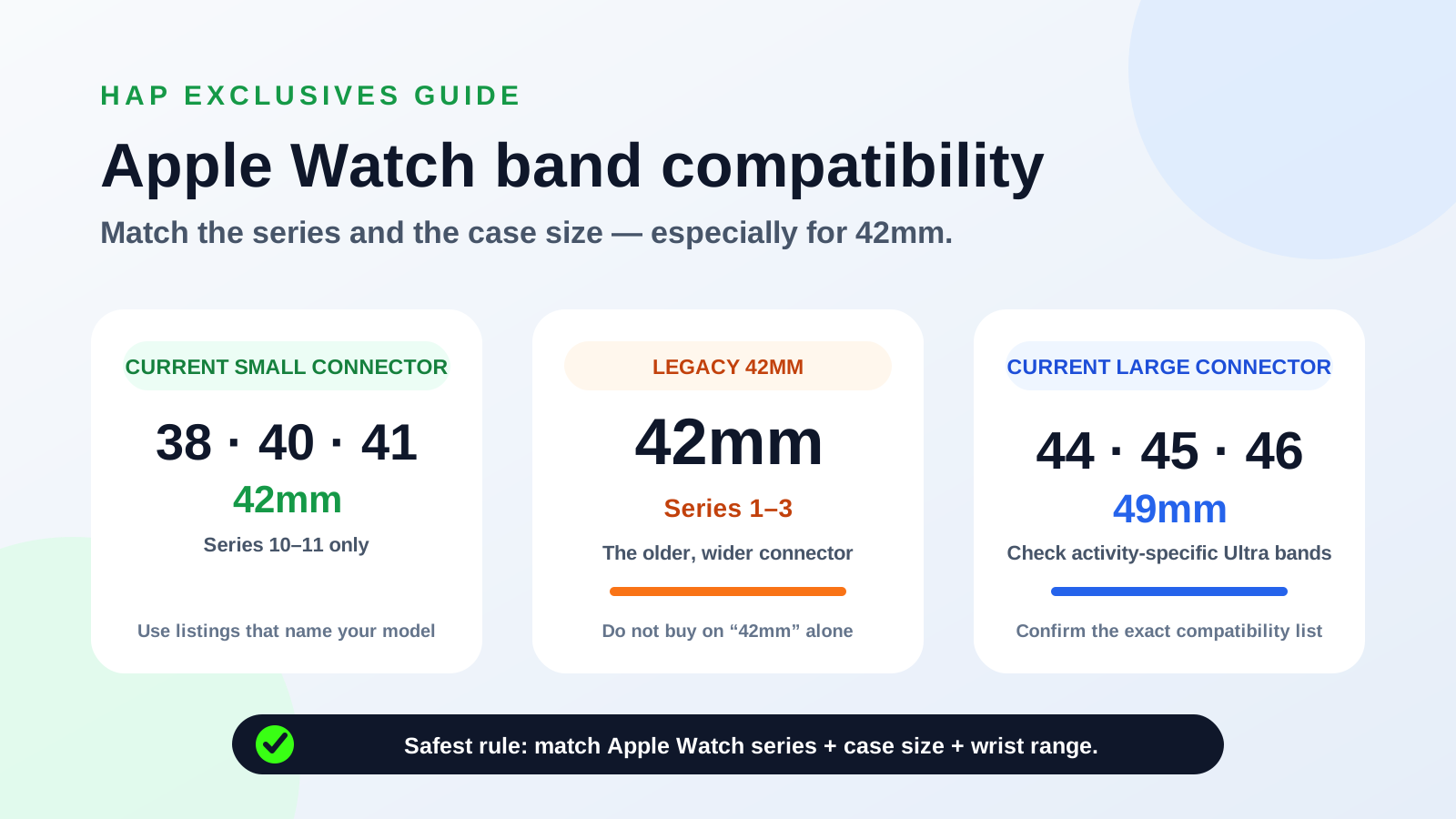
Apple Watch band compatibility looks straightforward until two watches carry the same case-size label but use different connectors. That is exactly what happened with 42mm. The safest approach is to match the Apple Watch series, case size, compatible-model list and wrist-length range before ordering.
Apple Watch band compatibility chart
The chart below combines Apple’s current band product compatibility lists with its watch-identification records. Match both the case size and model generation before purchasing, and use a listing that names your exact model whenever possible.
38mm
40mm
41mm
42mm — Series 1–3
42mm — Series 10–11
44mm
45mm
46mm
49mm
| Watch case | Common models | Safest band labels | Important note |
|---|---|---|---|
| 38mm | Original Apple Watch and Series 1–3 | 38mm, 40mm, 41mm, or current small-family 42mm where explicitly listed | Small connector family |
| 40mm | Series 4–6 and SE models | 38mm, 40mm, 41mm, or current 42mm small-family bands | Small connector family |
| 41mm | Series 7–9 | 38mm, 40mm, 41mm, or current 42mm small-family bands | Small connector family |
| 42mm — Series 1–3 | Legacy 42mm watches | A listing that explicitly names Series 1–3 42mm or legacy 42/44/45 compatibility | Do not assume a current 42mm band fits |
| 42mm — Series 10–11 | Current-generation 42mm watches | 38mm, 40mm, 41mm, or 42mm Series 10–11 bands | Current small connector family |
| 44mm | Series 4–6 and SE models | Bands explicitly listing 44mm and the supported generations | Check the product’s exact model list |
| 45mm | Series 7–9 | Large-family bands that explicitly list 45mm | Large connector group |
| 46mm | Series 10–11 | 44mm, 45mm, 46mm, or 49mm bands where listed | Current Apple 46mm bands list 44/45/46/49 |
| 49mm | Apple Watch Ultra models | 44mm, 45mm, 46mm, or 49mm bands where listed | Prefer Ultra-specific 49mm bands for rugged activities |
Why 42mm can mean two different band sizes
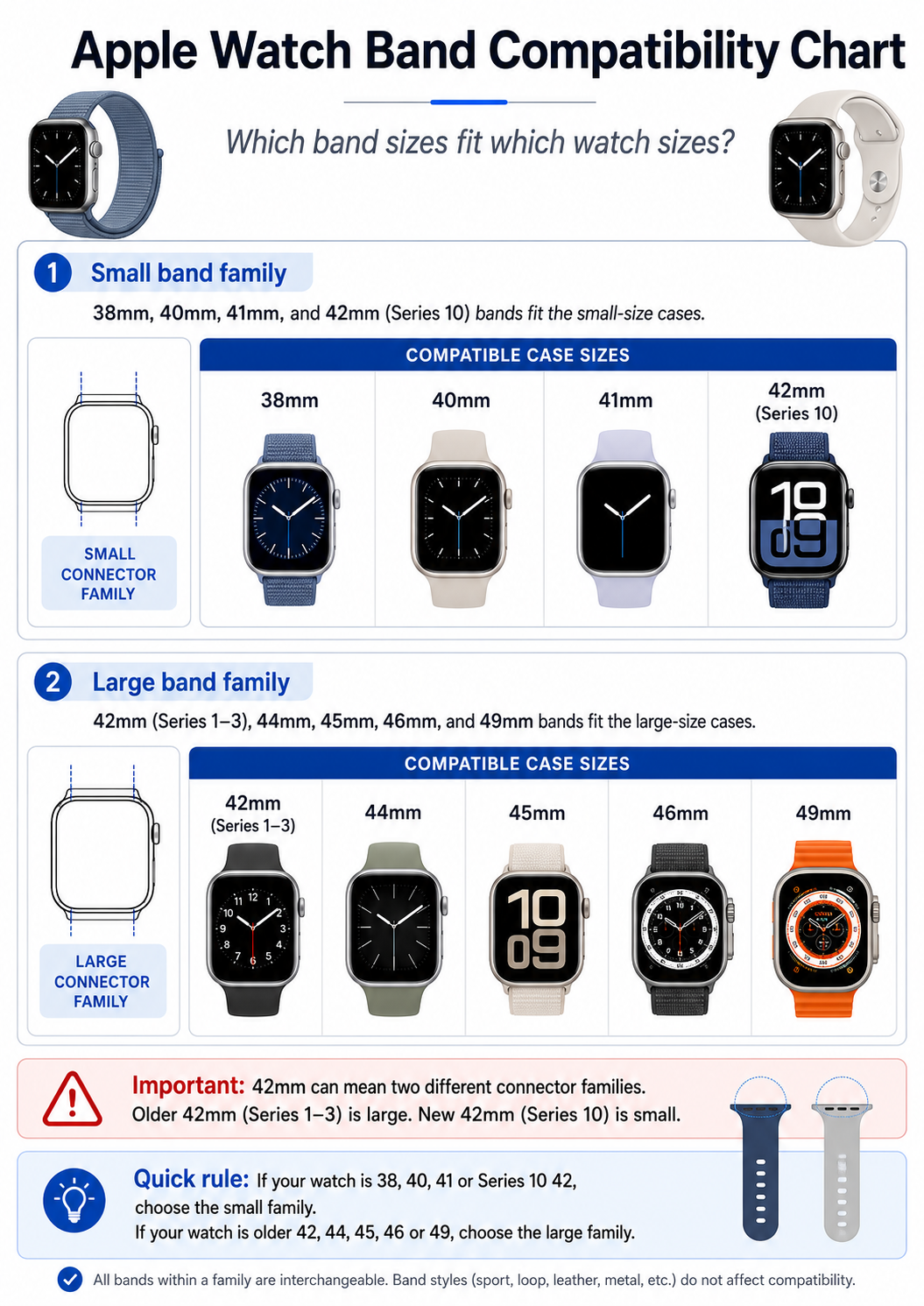
Legacy 42mm: Apple Watch Series 1 to Series 3
The original Apple Watch and Series 1–3 were sold in 38mm and 42mm case sizes. In that generation, 42mm was the larger case and used the wider connector associated with the older large-size family. Apple’s general compatibility guidance groups 42mm, 44mm and 45mm bands together.
- Look for “Apple Watch Series 1–3 42mm”.
- Look for “legacy 42mm” or an explicit 42mm/44mm/45mm model list.
- Avoid a listing that says only “42mm” without identifying the generation.
Current 42mm: Apple Watch Series 10 and Series 11
Series 10 and Series 11 are sold in 42mm and 46mm sizes. Here, 42mm is the smaller case. Apple’s current 42mm band product pages list 38mm, 40mm, 41mm and 42mm watches as compatible, placing the current 42mm case in the smaller connector group.
Original and Series 1–3
Series 4–6
SE generations
Series 7–9
Series 10–11
Ultra generations
| Generation | Smaller case | Larger case |
|---|---|---|
| Original and Series 1–3 | 38mm | 42mm |
| Series 4–6 | 40mm | 44mm |
| SE generations | 40mm | 44mm |
| Series 7–9 | 41mm | 45mm |
| Series 10–11 | 42mm | 46mm |
| Ultra generations | — | 49mm |
Understanding the main Apple Watch band families
Small connector family
The current small connector group covers 38mm, 40mm and 41mm watches, plus current 42mm Series 10 and Series 11 models. Typical examples include Series 1–3 in 38mm, Series 4–6 and SE models in 40mm, Series 7–9 in 41mm, and Series 10–11 in 42mm.
Legacy large connector group
The legacy 42mm connector belongs with the older large-size group that includes 44mm and 45mm. Because modern 46mm and 49mm product pages do not always name the legacy 42mm watch, Series 1–3 owners should choose products that explicitly list their generation.
Current 44mm, 45mm, 46mm and 49mm compatibility
Current Apple 46mm and 49mm band pages list 44mm, 45mm, 46mm and 49mm watches as compatible. Apple also says that an Ultra can accept 44mm, 45mm and 46mm bands for casual everyday use, while Ultra-specific 49mm bands are recommended for hiking, climbing, diving and other rugged activities.
Shop this product
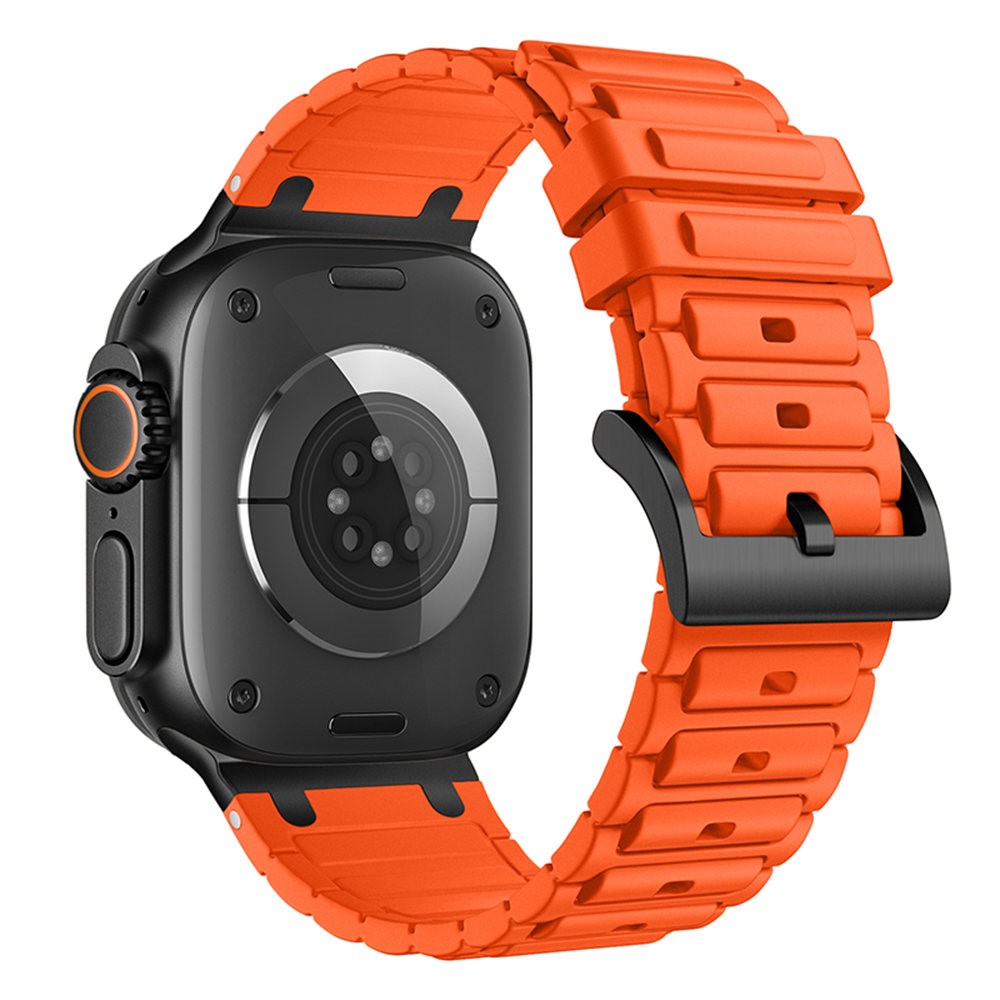
Thickened Silicone Strap for Apple Watch Ultra 3 2 1 49mm / Series 11 10 46mm / 9 8 7 45mm / SE3 SE2 SE 6 5 4 44mm / 3 2 1 42mm Watch Band - Orange
R 195
View productHow to find your Apple Watch series and case size
Do not rely on memory or the approximate width of the screen. Apple recommends checking the engraving on the back of the watch to identify the case size.
Method 1: Check the back of the watch
- Remove the watch from your wrist.
- Turn the case over.
- Read the engraving around the rear sensor.
- Find the case measurement, such as 41mm, 42mm, 45mm or 49mm.
- If the size is 42mm, also confirm the series.
Method 2: Check the model number in the Watch app
On the paired iPhone, open the Apple Watch app and go to My Watch → General → About. The Model Number field first shows a part number beginning with “M”. Tap it to reveal the model number beginning with “A”, then compare that number with Apple’s identification guide.
Case size and wrist size are different measurements
The millimetre number attached to the Apple Watch describes the watch case and helps determine the connector that slides into the watch. Band-length labels describe whether the completed band fits around your wrist. A product can therefore have the correct connector and still be too short or too long.
- Watch series — for example, Series 9 or Series 11.
- Case size — for example, 41mm or 42mm.
- Connector compatibility — the exact models listed by the seller.
- Wrist range — the minimum and maximum circumference on the product page.

Shop this product
Milanese Stainless Steel Watchband Magnetic Wristband for Apple Watch Series 11 10 42mm / 9 8 7 41mm / SE3 SE2 SE 6 5 4 40mm / 3 2 1 38mm - Rose Gold
R 205
View productDoes the band style affect compatibility?
Silicone, woven fabric, stainless steel and fashion bands can all use the same slide-in connector. The material changes the feel, appearance, adjustability and intended use—not the connector family. What matters is whether the product’s adapters are made for the correct case group.
Silicone bands
Often suited to everyday wear and active use. Check the wrist range, closure type and whether the listing names your exact watch generation.
Woven and fabric bands
Often lighter and more flexible, although construction and adjustability vary. Connector compatibility still depends on the named case family.
Metal and Milanese-style bands
These frequently use magnetic or mechanical closures. Confirm both connector compatibility and the supported wrist-length range.
Rugged or Ultra-focused bands
A band may physically connect to several large cases while being designed around an Ultra’s proportions or a particular activity. Apple recommends Ultra-focused 49mm bands for rugged activities.
Shop this product
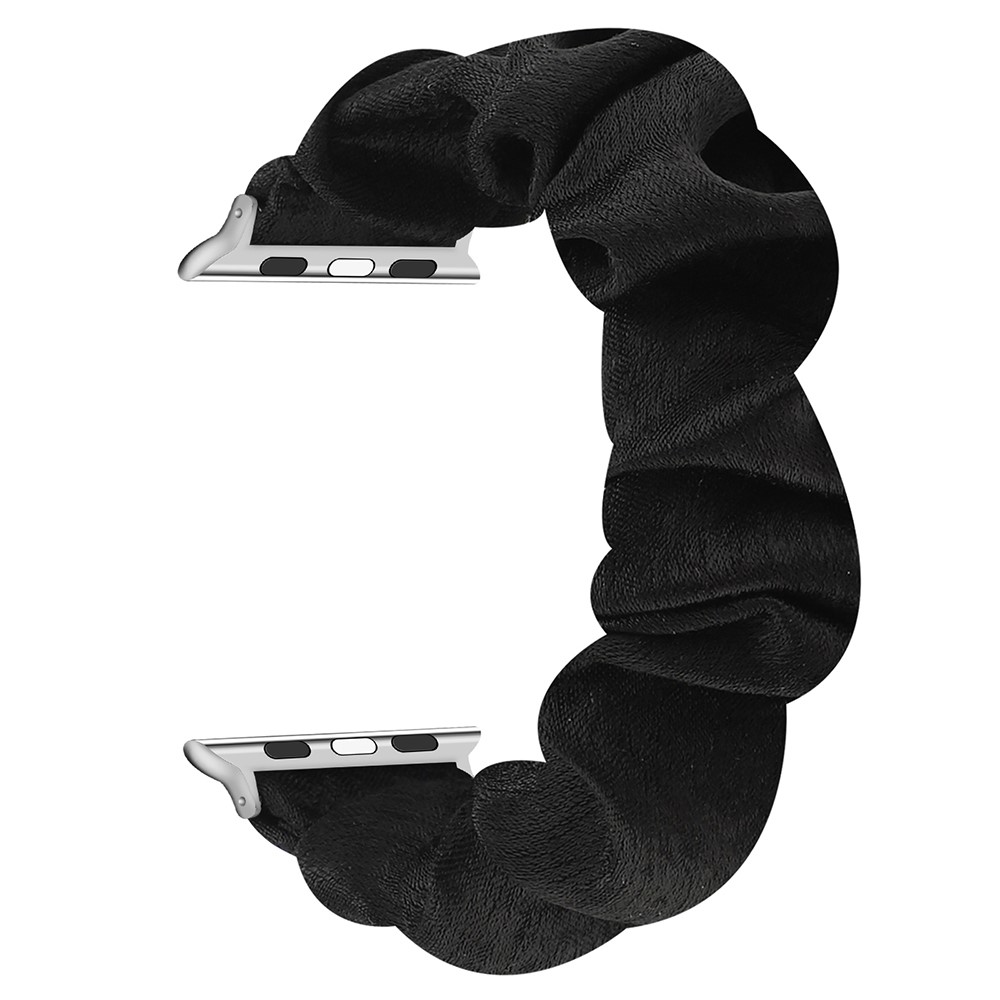
Scrunchie Hair Band Watch Strap for Apple Watch Series 11 10 42mm / 9 8 7 41mm / SE3 SE2 SE 6 5 4 40mm / 3 2 1 38mm - Black
R 175
View productHow to change an Apple Watch band safely
A correctly sized band should slide into the connector channel and lock with a click. It should not need to be forced. Place the watch face down on a clean, soft surface before changing the band.
- Place the watch face down on a lint-free cloth or padded surface.
- Hold the band-release button on the back of the case.
- Slide the existing band sideways out of the connector.
- Position the new band with its text facing towards you.
- Slide it into the channel until it clicks.
- Check gently that it cannot move freely without pressing the release button.
Frequently asked questions
Do 38mm Apple Watch bands fit 40mm and 41mm watches?
Yes. Apple states that bands for 38mm, 40mm and 41mm cases are compatible with one another.
Does a 41mm band fit a 42mm Apple Watch Series 10 or Series 11?
Current Apple 42mm band pages list 38mm, 40mm, 41mm and 42mm watches as compatible. Choose a product that explicitly includes Series 10 or Series 11 42mm in its model list.
Does an old 42mm Series 3 band fit a new 42mm Series 10 or Series 11?
Do not assume that it does. The Series 1–3 42mm watch was the larger model of its generation, while the Series 10–11 42mm watch is the smaller model. Treat them as different connector families unless the manufacturer explicitly states otherwise.
Does a 45mm Apple Watch band fit a 46mm watch?
Yes, current Apple 46mm band compatibility lists include 44mm, 45mm, 46mm and 49mm watches.
Can a 45mm band fit a 49mm Apple Watch Ultra?
Apple says 44mm, 45mm and 46mm bands can be used on a 49mm Ultra for casual, everyday wear. Ultra-specific 49mm bands are recommended for rugged activities.
Is case size the same as band length?
No. Case size determines connector compatibility. Band-length labels such as S/M, M/L, XL or numbered loop sizes determine whether the strap fits around your wrist.
Where is the Apple Watch size printed?
The size and model information are engraved on the back of the watch. You can also check the model number through the Apple Watch app on the paired iPhone.
What if a new band does not click into place?
Remove it and check its orientation and compatibility. Never force it, and do not wear the watch if the band can slide freely without the release button being pressed.
The final buying rule
- Identify the exact Apple Watch series.
- Confirm the case size.
- Treat legacy 42mm and current 42mm watches as different families.
- Check the product’s complete compatible-model list.
- Confirm the wrist-length range before ordering.
Once those details match, you can choose the material, colour and closure that suit your style without worrying about whether the band will fit the watch.
Official sources
Compatibility was checked against Apple’s support and product pages on 17 July 2026. Product prices, colours and availability can change. Apple Watch and Apple are trademarks of Apple Inc.
Found this helpful?
Share it with someone who may need it.