Jump to a section
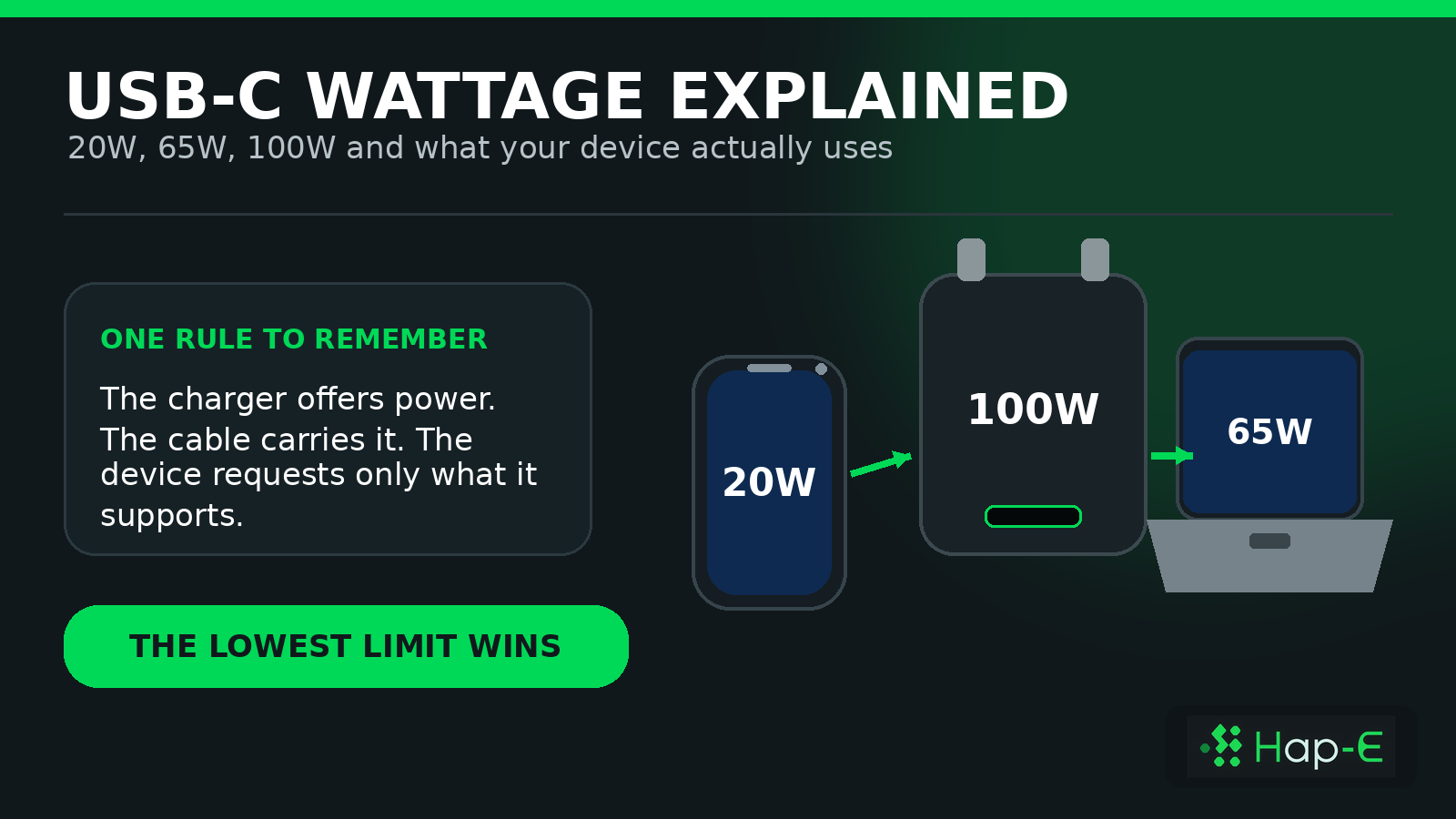
Buying a 100W USB-C charger or cable does not mean every connected device will receive 100W. A standards-compliant charging setup negotiates power: the charger offers supported profiles, the cable carries an approved amount, and the device requests only what it can use. The lowest compatible limit determines the real charging rate.
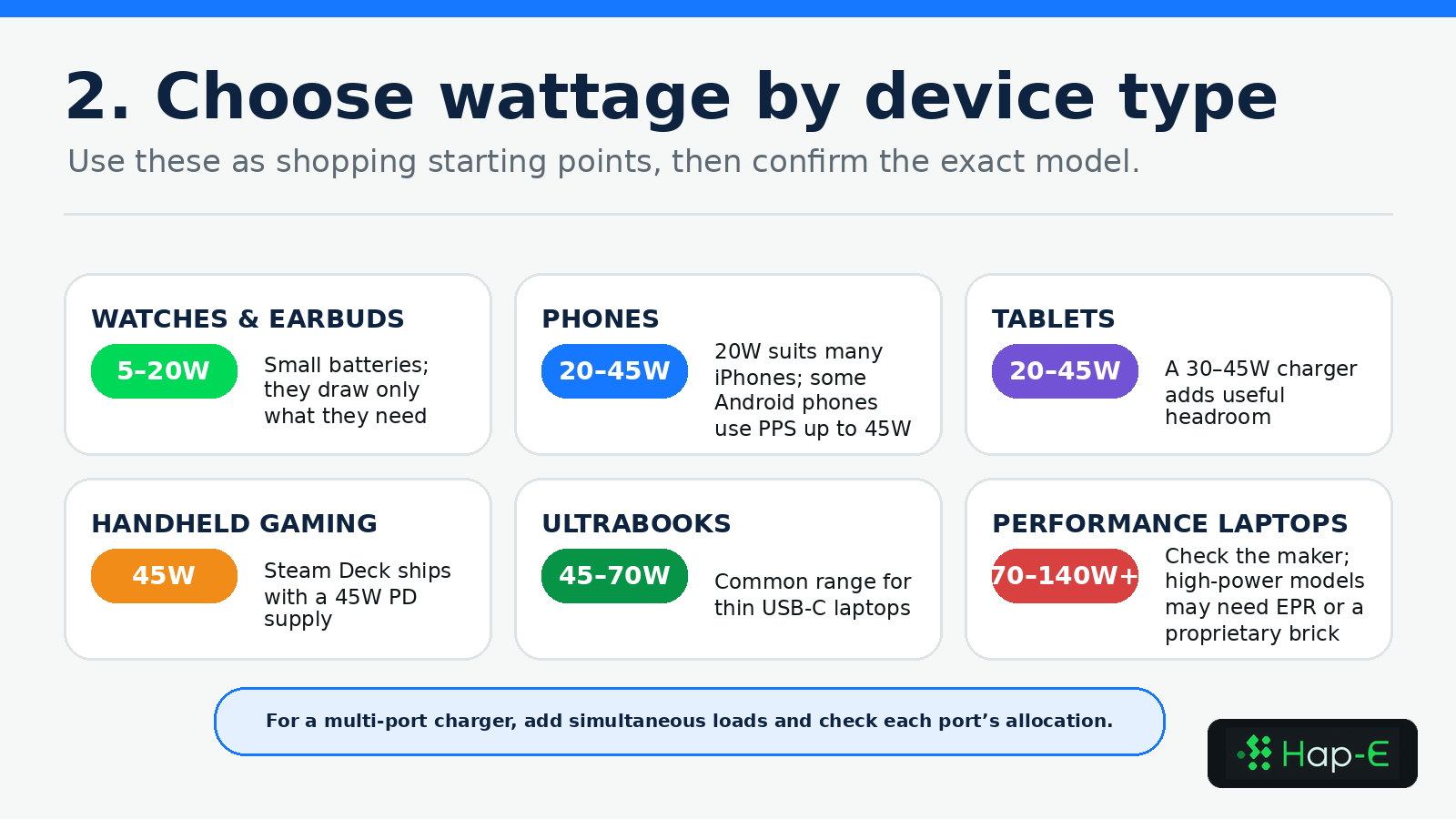
As a practical starting point, many phones suit 20–30W, tablets and faster Android phones often suit 30–45W, handheld consoles and thin laptops commonly need 45–70W, and performance laptops may require 70–140W. These are shopping ranges, not universal specifications: the exact device model and charging protocol always take priority.
How many watts does your device need?
Practical USB-C wattage ranges by device
Watches, earbuds and small accessories
iPhone and mainstream phones
High-speed Android phones
Tablets
Handheld gaming devices
Ultrabooks and MacBook Air models
Performance laptops
High-power workstations and gaming laptops
Multi-device travel setup
| Device type | Useful starting range | Why | Check before buying |
|---|---|---|---|
| Watches, earbuds and small accessories | 5–20W | Small batteries draw only what they need | Connector and charging-puck compatibility |
| iPhone and mainstream phones | 20–30W | Covers everyday fast charging for many models | Exact model and USB PD support |
| High-speed Android phones | 25–45W | Some models use higher PD/PPS modes | PPS support and any 5A cable requirement |
| Tablets | 20–45W | Provides useful headroom for larger batteries and accessories | Manufacturer input guidance |
| Handheld gaming devices | 45–65W | Covers common handheld and dock use | Exact console and dock requirements |
| Ultrabooks and MacBook Air models | 45–70W | A common range for thin USB-C laptops | Official adapter wattage and active workload |
| Performance laptops | 70–140W | Supports higher sustained load and faster charging | Whether full power is available over USB-C |
| High-power workstations and gaming laptops | 140–240W or proprietary | Some devices use USB PD EPR; others still need their own brick | Exact EPR profile or manufacturer connector |
| Multi-device travel setup | 65–140W total | One adapter can replace several smaller chargers | Per-port allocation with all intended devices connected |
How USB-C charging wattage is decided
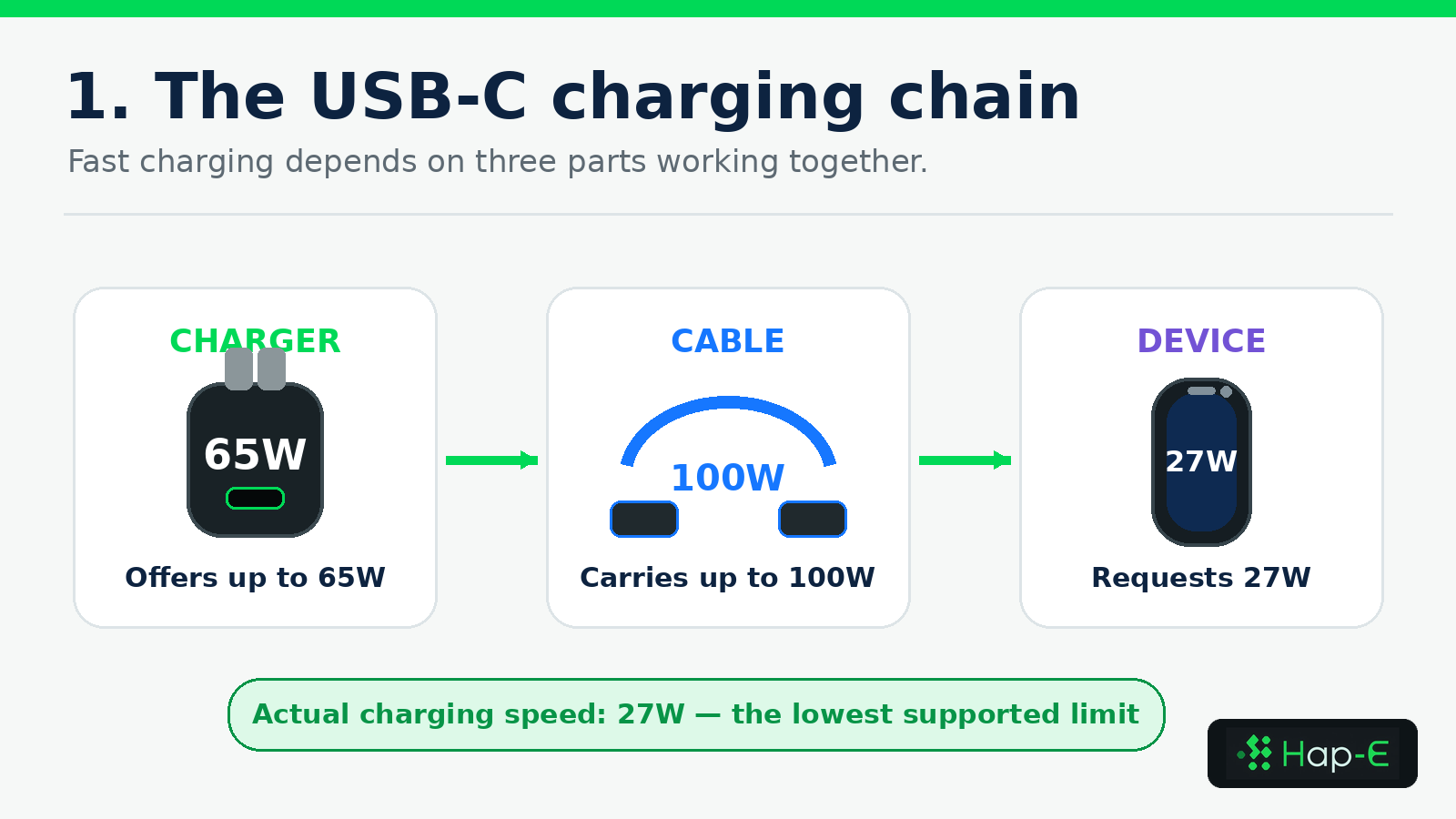
1. The charger offers supported power profiles
A charger's headline wattage is its maximum available capacity, not a command sent to the device. A 65W USB Power Delivery charger may advertise several voltage-and-current combinations, such as 5V, 9V, 15V and 20V profiles. The connected device chooses a compatible profile rather than accepting the full rating automatically.
2. The cable carries an approved amount
The cable must safely support the negotiated current and voltage. A cable labelled 100W describes carrying capacity; it does not create 100W. Cable length, condition, current rating and electronic marking can all matter, particularly above the capability of a standard 3A cable.
3. The device requests what it supports
The phone, tablet, console or laptop controls the final request. If a phone supports a 27W profile, connecting it to a 65W charger with a 100W cable still produces a maximum negotiated rate of about 27W under ideal conditions—not 65W or 100W.
USB-C is the connector; USB Power Delivery is the protocol
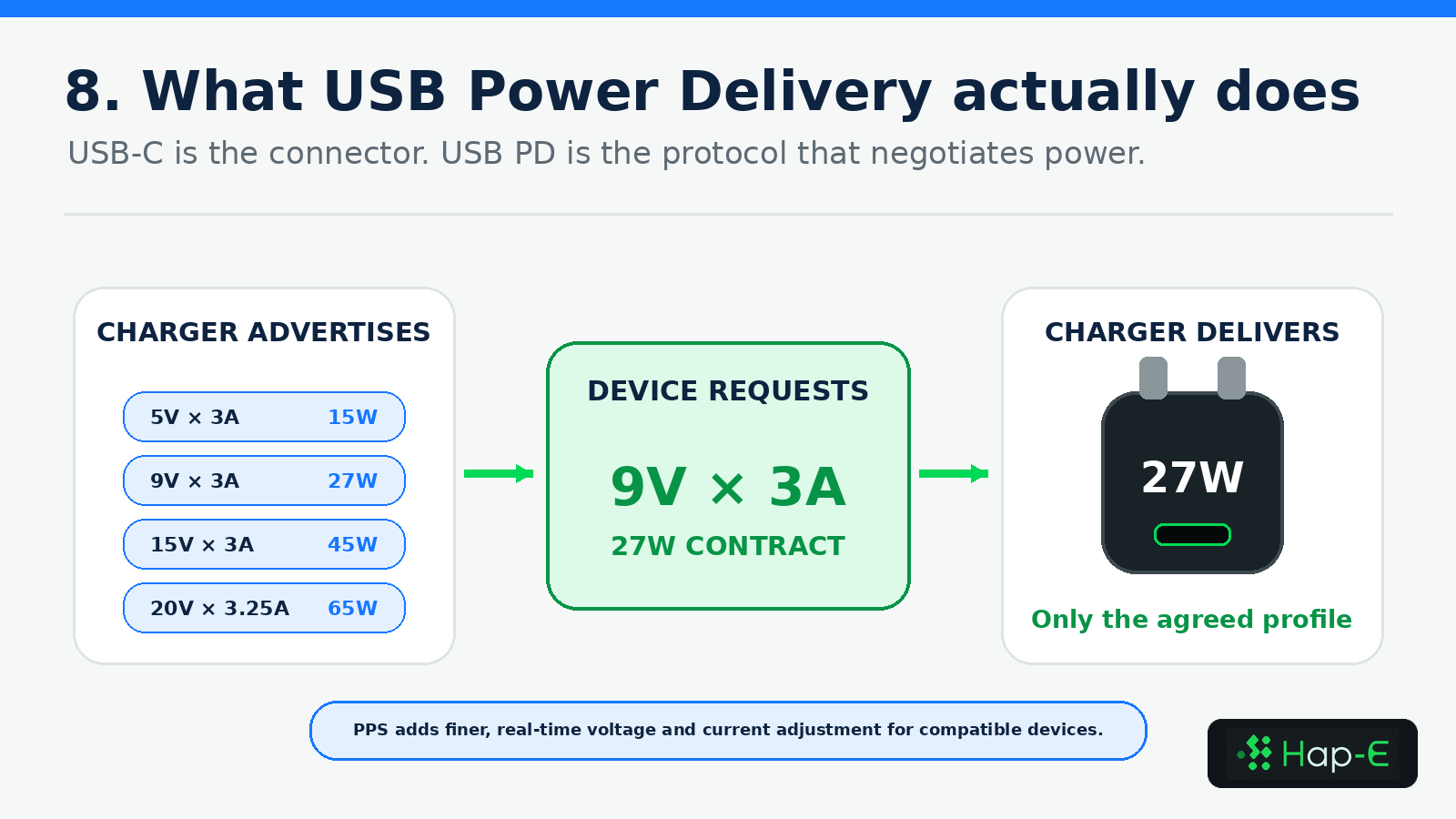
USB-C describes the reversible connector shape. It does not, by itself, guarantee USB Power Delivery, a specific wattage, fast data transfer or video output. USB Power Delivery (USB PD) is the protocol compatible devices use to advertise, request and agree on power. The current USB PD framework can scale to 240W when the charger, cable and device all support the required Extended Power Range profile.
Programmable Power Supply, or PPS, adds finer real-time voltage and current adjustment for compatible devices. This is relevant to some Samsung and Google Pixel fast-charging modes. A charger can have enough total wattage but still miss the exact protocol or profile the phone expects.
Is 20W enough for an iPhone?
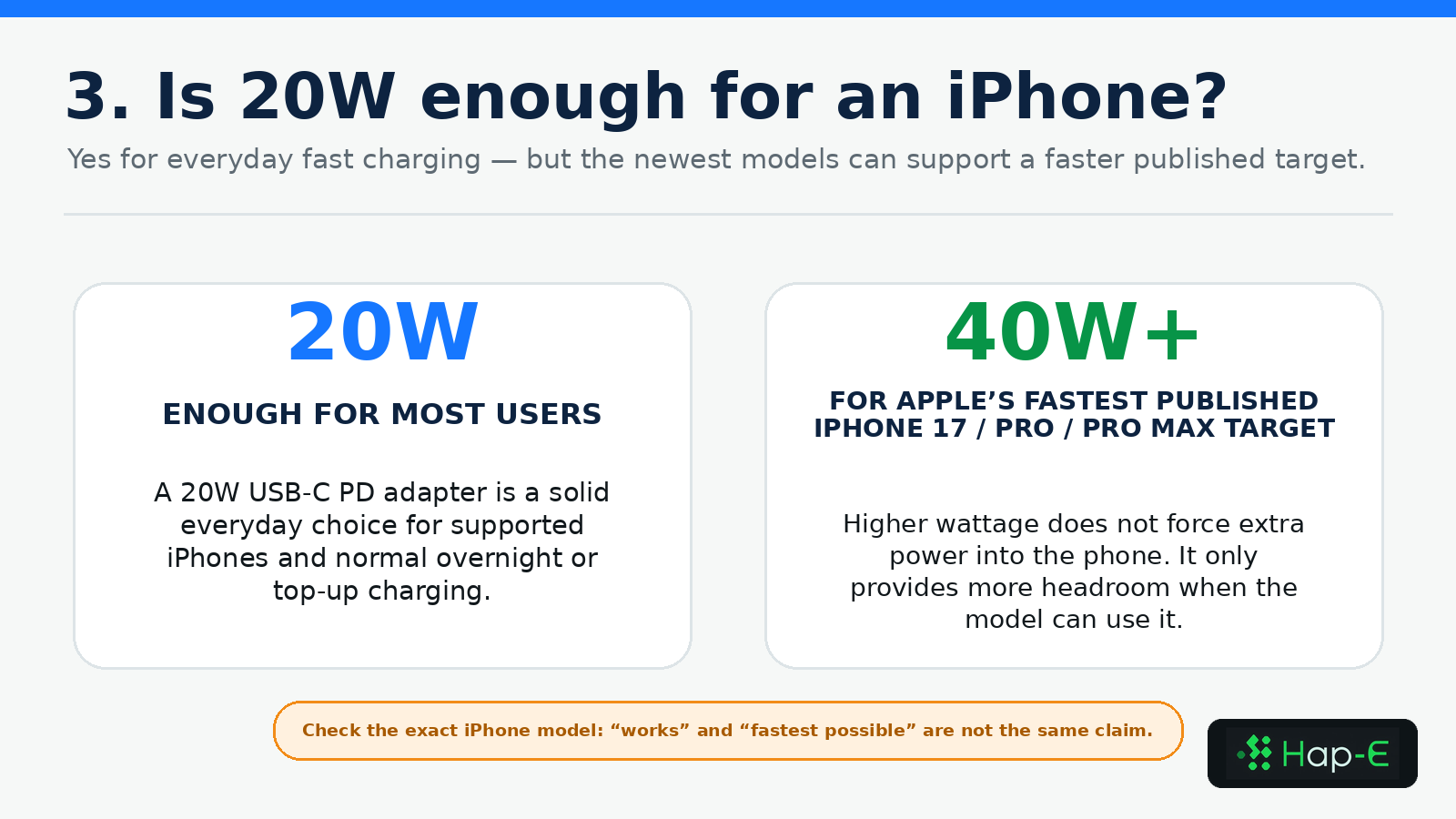
Yes, a 20W USB-C PD adapter is a solid everyday choice for fast charging many supported iPhones. Apple's current support guidance uses a 20W-or-higher threshold for many models, so 20W remains practical for normal overnight charging and daytime top-ups.
It is not necessarily the fastest possible choice for every current iPhone. Apple's published fastest target for iPhone 17, iPhone 17 Pro and iPhone 17 Pro Max uses a 40W-or-higher adapter. The important distinction is between a charger that works and the adapter required for the model's fastest published target.
Can a 65W charger charge a phone safely?
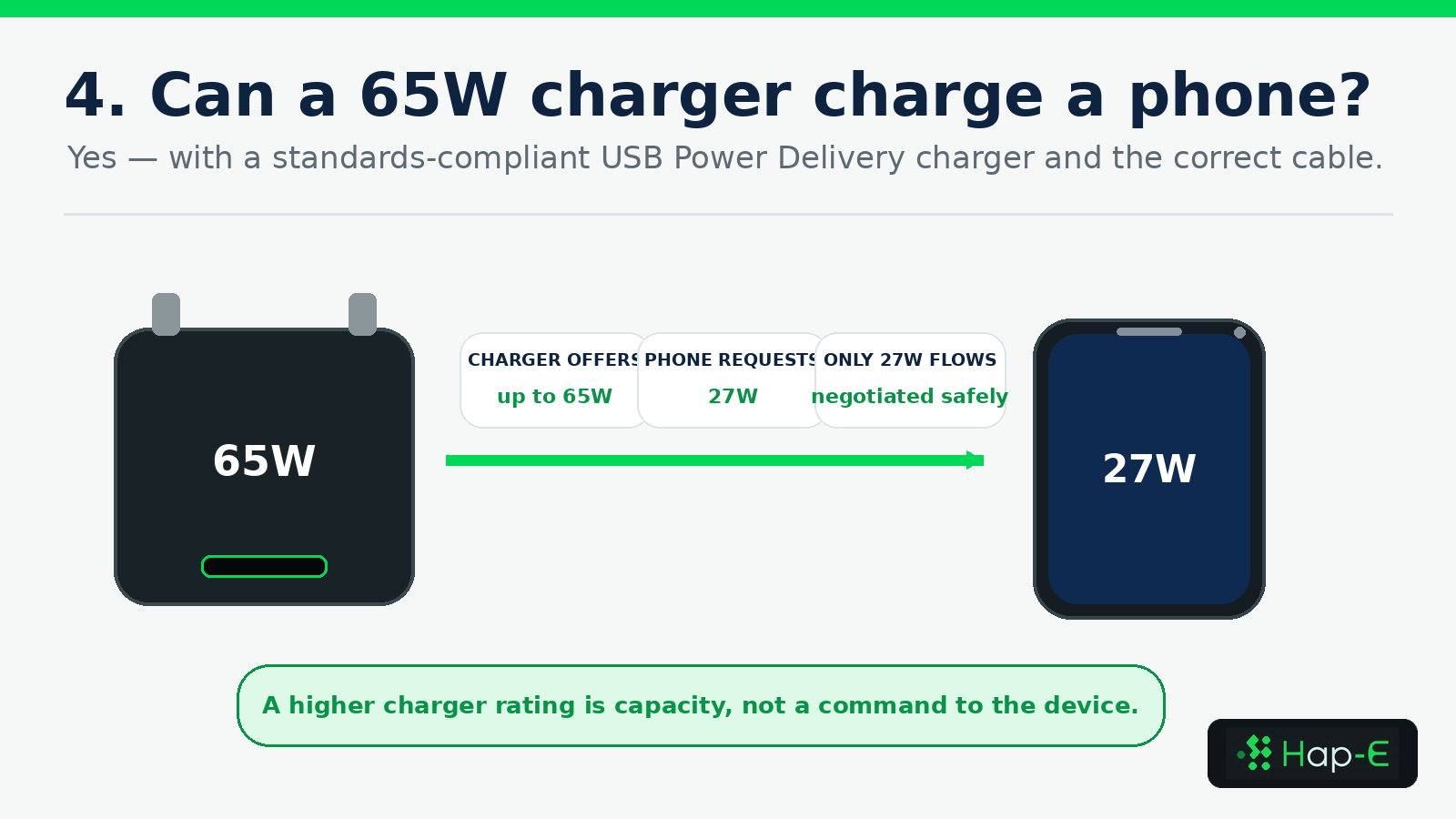
Yes—when the charger and cable follow compatible USB Power Delivery standards. A compliant 65W charger does not force 65W into a phone. It offers supported profiles, the phone requests one it accepts, and only the negotiated amount flows.
A 65W charger is especially useful when the same adapter must serve a phone, tablet and thin laptop. It may not unlock every brand's maximum speed, however. Samsung's 45W mode requires the appropriate USB PD 3.0/PPS support and a suitable 5A cable, while Google Pixel guidance prioritises compatible USB PD/PPS chargers.
Why can a 100W USB-C cable still charge slowly?
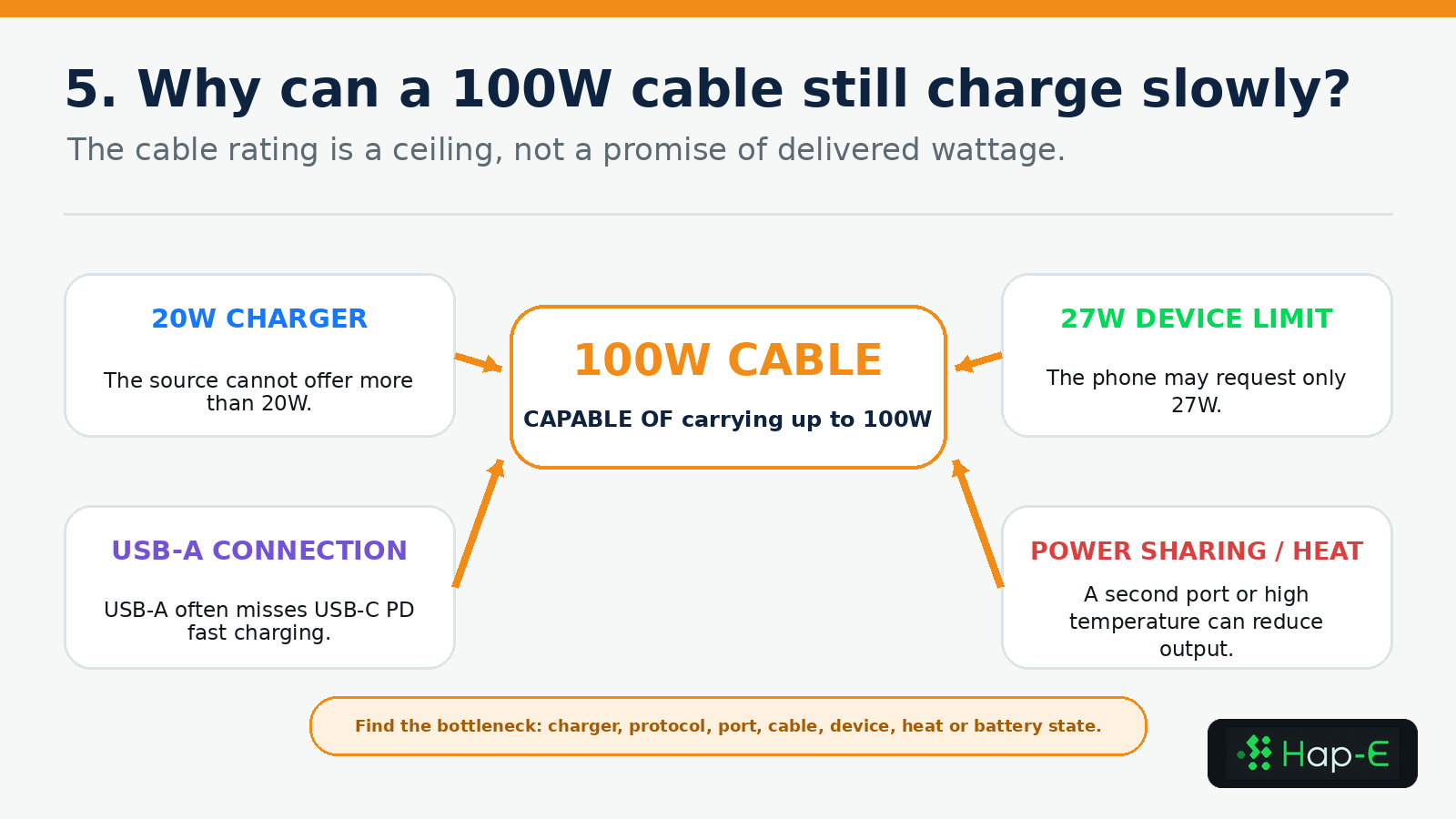
A 100W label is a ceiling for what the cable can carry, not a promise of delivered speed. The real rate can be limited by the charger, the device, the protocol, the port in use, multi-port sharing, a hub, temperature, battery state or the cable's condition.
- The charger offers less power than the cable can carry.
- The device has a lower input limit.
- The charger lacks the PD, PPS or EPR profile the device expects.
- A USB-A source is being used instead of USB-C PD.
- The cable is limited to 3A when the charging mode requires 5A.
- Another connected device causes the charger to split its output.
- A hub or dock reduces pass-through power before it reaches the laptop.
- Heat, a nearly full battery or heavy active use reduces the net charging rate.
- The cable or USB-C port is damaged, dirty, loose or excessively resistive.
Pass-through charging adds another limit
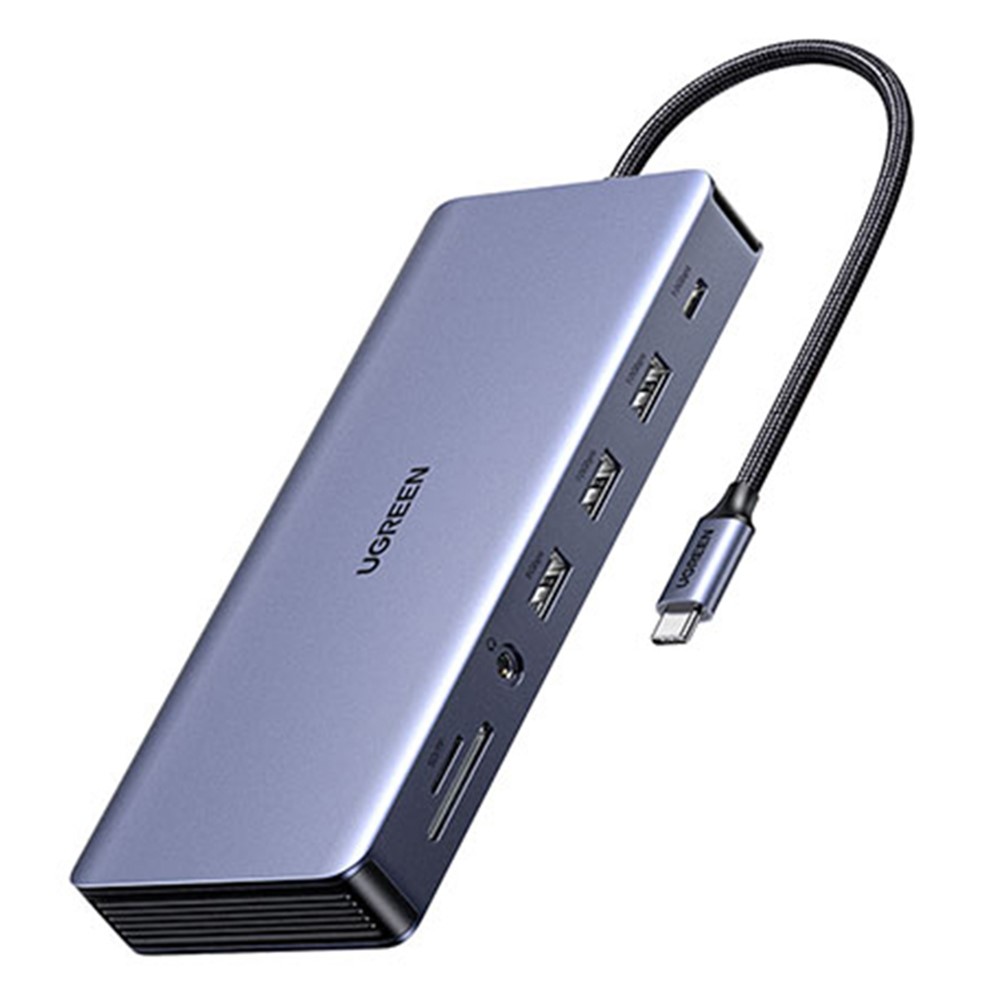
A USB-C hub advertised with 100W PD pass-through does not necessarily deliver the full 100W to the laptop. The hub may reserve some power for its own ports and electronics, and the connected laptop still controls its input request. Read the hub's input, reserved power and host-output specifications separately.
Shop this product
UGREEN CM681 15978 Docking Station 13 in 1 USB-C Hub 4K / 60Hz Dual HD DP PD 100W Fast Charging for Laptop
R 1 775
View productThe live UGREEN hub listing identifies 100W PD fast charging. Treat that as a listed capacity rather than a guarantee that every laptop receives 100W after hub overhead. Confirm the current product specifications and your laptop's requirements.
USB-A to USB-C versus USB-C to USB-C
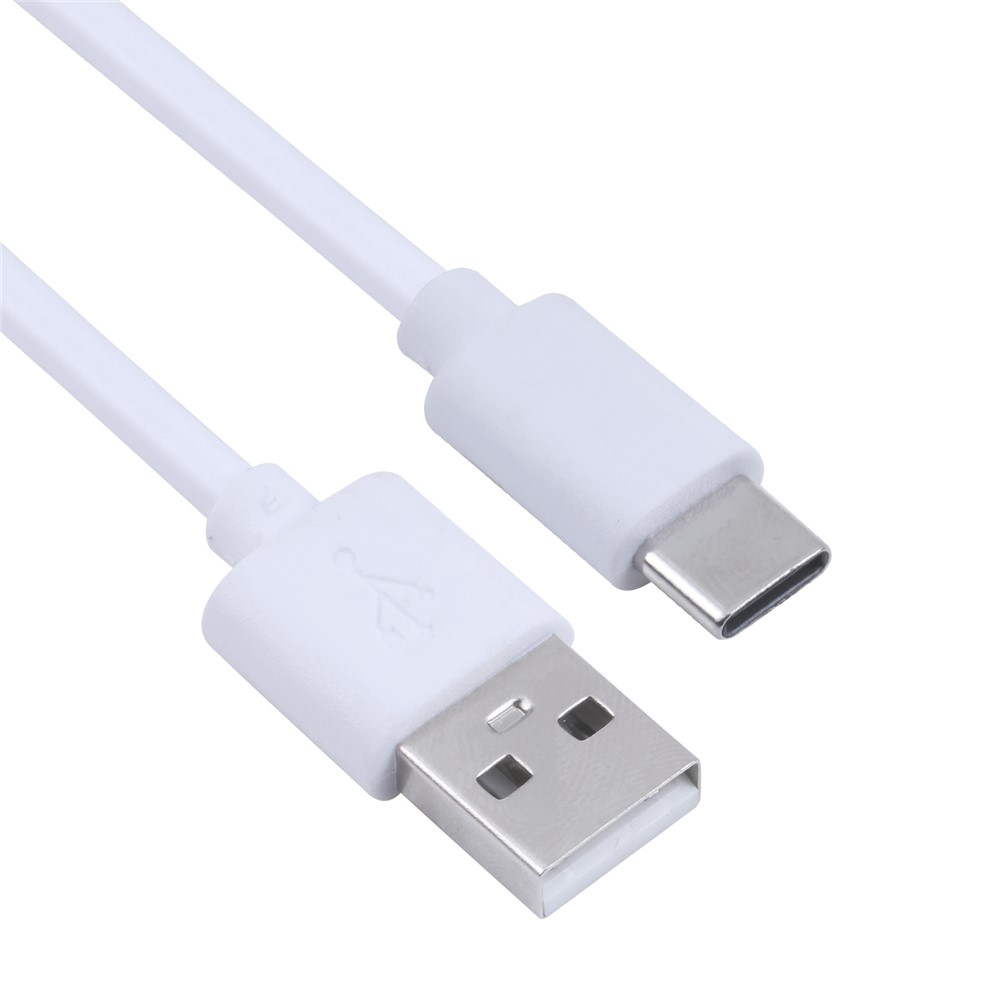
A USB-A-to-USB-C cable can be useful for older wall adapters, power banks, cars and computers, but it commonly relies on older charging modes and does not provide the same USB PD path as USB-C-to-USB-C. If a modern phone or laptop expects USB PD, start with a USB-C source and a correctly rated USB-C-to-USB-C cable.
Shop this product
iPhone 15 Series 50cm USB C Charge Braided Cord USB A to Type-C Copper Core Charging Cable - White
R 165
View productCharger wattage versus cable wattage
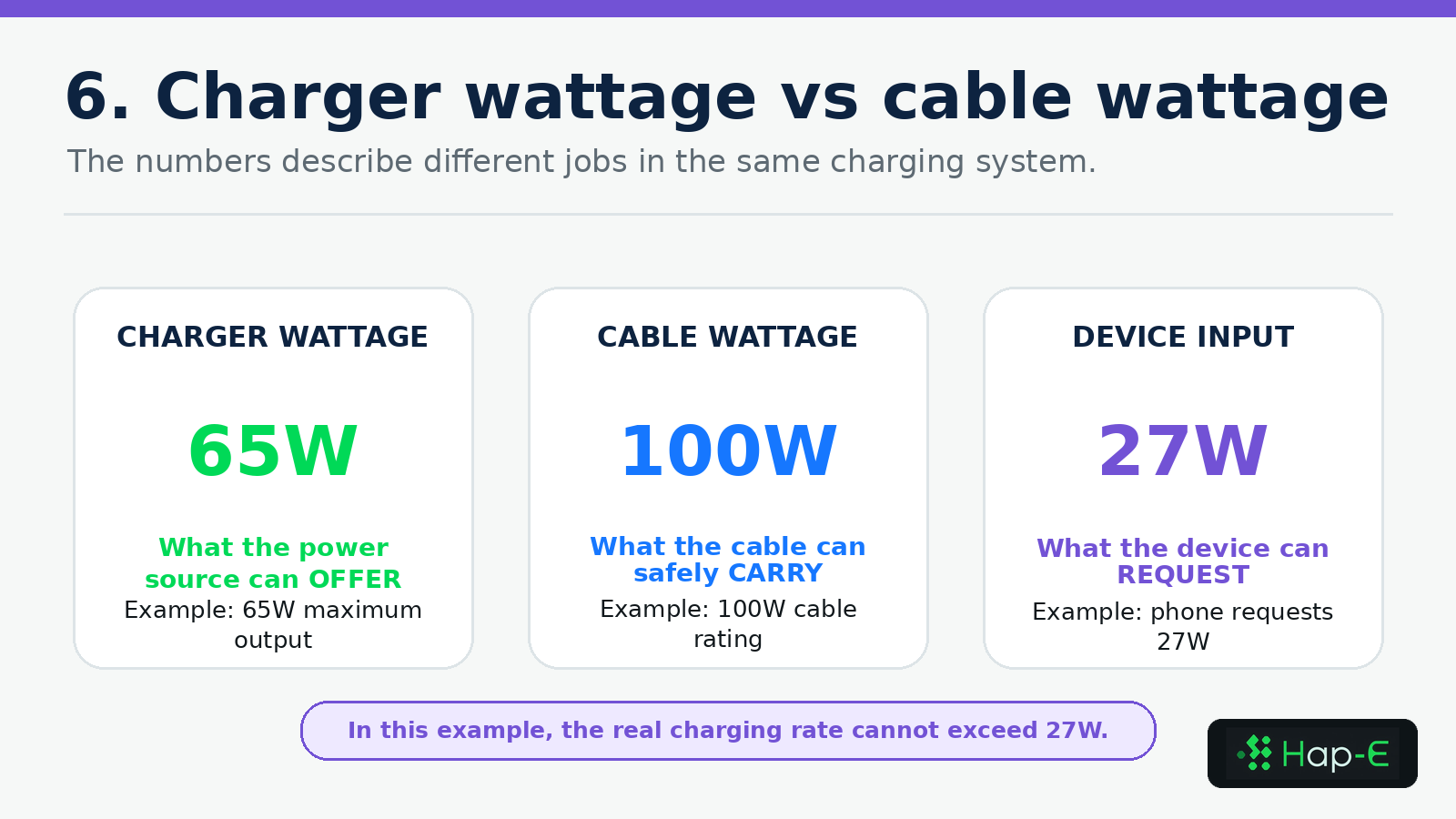
Charger wattage is source capacity. Cable wattage is carrying capacity. Device input is requested capacity. These numbers solve different problems, and the smallest compatible limit controls the result.
3A, 5A and electronically marked cables
A standard 3A USB-C cable can cover many phone, tablet and laptop profiles. Higher-current charging requires a properly rated 5A cable with the required electronic identification. For USB PD Extended Power Range above 100W, choose a certified cable carrying the current 240W USB-IF power marking and confirm that the charger and device also support EPR.
Power capacity is separate from data and video
A cable can support high charging power while offering slow data transfer, and a fast data cable can have a lower power rating. If you need file transfer, an external display, docking or Thunderbolt features, check those specifications separately from wattage.
Single-port versus multi-port charger output
A single-port charger can usually dedicate its full supported output to one connected device. A multi-port charger's headline number is often a shared total. Plugging in a second device may rebalance the ports, briefly interrupt charging and reduce the wattage available to the laptop port.
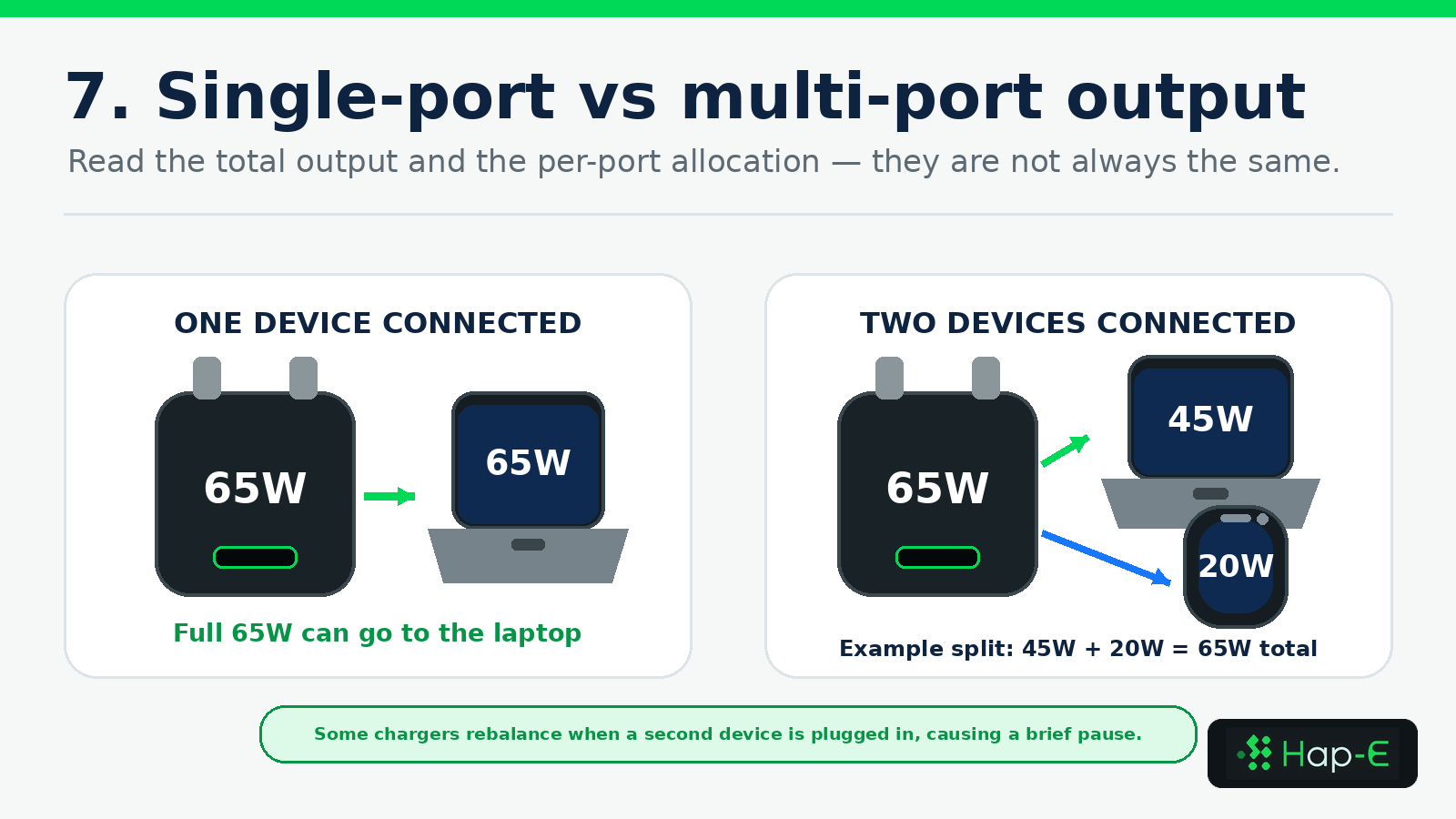
How multi-port output can change
65W single-port charger
65W dual-port charger
100W multi-port charger
35W dual-port charger
| Scenario | Connected devices | Illustrative output | What it means |
|---|---|---|---|
| 65W single-port charger | One laptop | Up to 65W | A simple maximum for one compatible device |
| 65W dual-port charger | Laptop and phone | Example: 45W + 20W | Confirm the exact split before buying |
| 100W multi-port charger | Laptop, tablet and phone | Could be 65W + 20W + 15W | Total wattage alone is not enough information |
| 35W dual-port charger | Two medium devices | Apple example: 17.5W + 17.5W | Convenient for overnight charging but slower for a laptop under load |
Device-by-device USB-C wattage guide
Watches, earbuds and small accessories: 5–20W
Small accessories normally draw only a few watts, even when connected to a 20W or 65W charger. The important checks are connector compatibility, the charging puck or case, and whether a multi-port adapter maintains stable low-power charging.
Phones: 20–45W
A 20–30W USB PD charger covers many iPhones and mainstream Android phones. Choose 30–45W when the phone supports a higher PD/PPS mode, when the adapter will also charge a tablet, or when one compact unit must replace several smaller chargers.
Tablets: 20–45W
Many tablets work well in this range. A 30–45W charger provides sensible headroom for a larger tablet, attached keyboard, hub or simultaneous phone charging, while the tablet still requests only a supported profile.
Handheld gaming: start around 45W
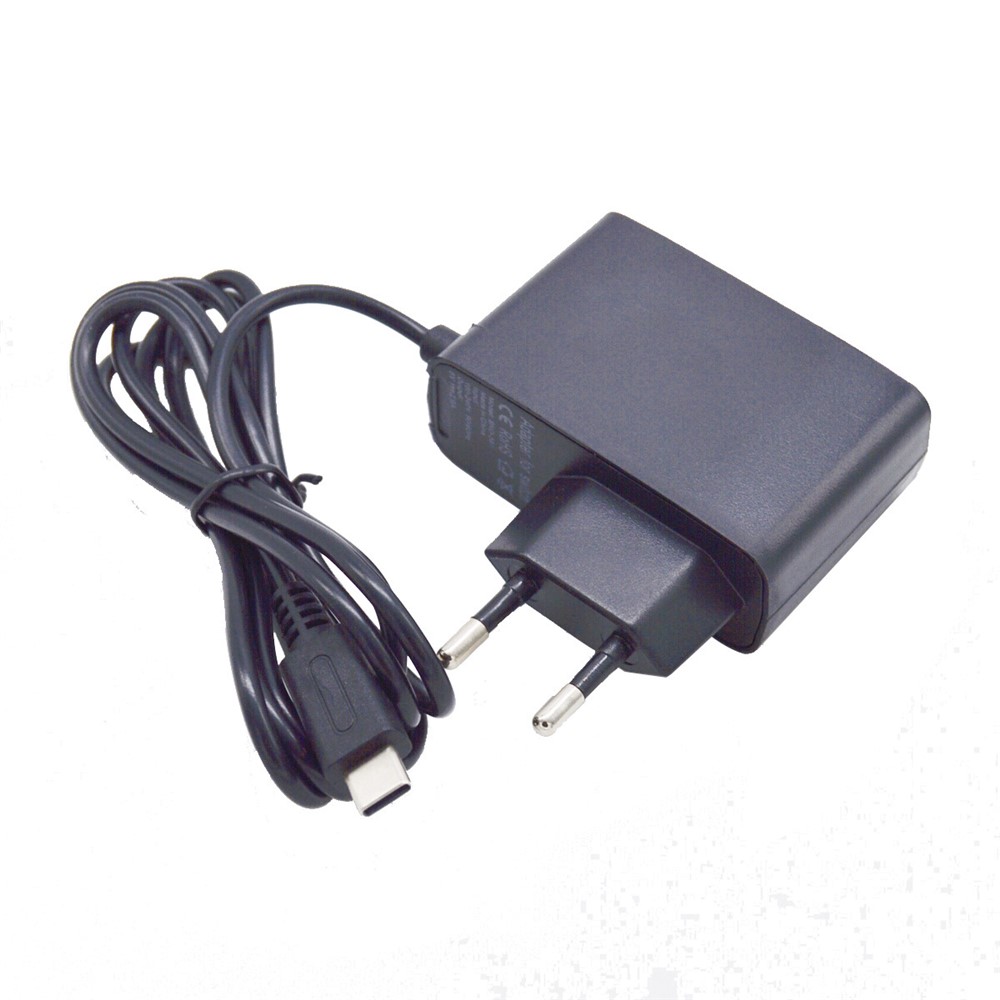
Valve specifies a 45W USB PD Type-C supply for Steam Deck, which makes 45W a natural baseline for the console. A 65W adapter can add margin for a dock or another device if the port allocation still supplies the handheld appropriately. For Nintendo Switch, use a product explicitly intended for the console and verify dock requirements rather than assuming any USB-C charger is interchangeable.
Shop this product
Type-C AC Charger Adapter Charging Supply for Nintendo Switch Console - EU Plug
R 285
View productThe live listing identifies compatibility with Nintendo Switch and an EU plug. Confirm the current output profiles and dock compatibility before purchase; it should not be treated as a universal charger for every USB-C product.
Ultrabooks: 45–70W
This range covers many thin USB-C laptops. A 65W charger is a useful general travel choice, but a lighter 30–45W model may be enough for some machines and light use, while a 67W or 70W option can support faster charging on compatible models.
Performance laptops: 70–140W
Higher-performance laptops need more power for sustained workloads and fast charging. Match the official adapter recommendation, and verify whether full performance is available over USB-C or only through the manufacturer's preferred connector.
High-power workstations: 140–240W or proprietary
USB PD EPR can reach 240W, but the charger, cable and computer must all support the required profile. A 240W cable does not make a non-EPR laptop charge at 240W, and many gaming systems still use a proprietary power brick for maximum CPU and GPU performance.
How to choose the right charger and cable
- Find the exact device's official input or bundled-adapter rating on the manufacturer's support page.
- Identify the required protocol: USB PD, PPS, EPR or a proprietary charging system.
- Decide how many devices will charge at once and read the exact multi-port allocation table.
- Choose the cable after the charger, with a power rating that meets or exceeds the intended output.
- Check data transfer and video support separately if you need docking, displays or fast file transfer.
- Allow useful headroom without buying a meaningless maximum the device cannot use.
- Prefer clearly labelled products with complete output profiles and safety information over vague fast-charge claims.
Why is my USB-C device charging slowly?
USB-C charging troubleshooting checklist
Test one device on one port
Use USB-C-to-USB-C
Read the charger's output profiles
Try the original or a verified cable
Use the highest-output USB-C port
Remove hubs and docks temporarily
Let the device cool and reduce active use
Inspect the USB-C port
Compare at a low battery level
| Check | Why it helps |
|---|---|
| Test one device on one port | Removes multi-port power sharing |
| Use USB-C-to-USB-C | Avoids slower USB-A modes where the device expects USB PD |
| Read the charger's output profiles | Confirms that the right voltage, PPS or EPR profile exists |
| Try the original or a verified cable | Confirms the required current rating and reduces connection uncertainty |
| Use the highest-output USB-C port | Some chargers reserve their maximum for C1 or a laptop-labelled port |
| Remove hubs and docks temporarily | Shows whether pass-through power or hub overhead is the bottleneck |
| Let the device cool and reduce active use | Gaming, navigation and video calls can reduce net charging |
| Inspect the USB-C port | Debris or looseness can trigger fallback charging or interruptions |
| Compare at a low battery level | Fast-charge peaks usually taper as the battery fills |
Frequently asked questions
Is 20W enough for an iPhone?
Yes for everyday fast charging on many supported models. It is not necessarily the fastest choice for every current iPhone, so check the exact model's published adapter guidance.
Can a 65W charger damage a phone?
A compliant USB PD charger should not force 65W into the phone. The phone negotiates and draws a supported amount. Use reputable, standards-compliant hardware and the correct cable.
Will a 65W charger make a 20W phone charge faster?
No. The phone's input limit and supported protocol determine its maximum. The extra charger capacity remains useful for a tablet, laptop or multi-device setup.
What is USB Power Delivery?
USB PD is the protocol compatible USB-C products use to advertise, request and agree on voltage and current. Modern USB PD supports power levels up to 240W when the complete charging chain supports EPR.
Why does my 100W USB-C cable charge slowly?
The cable can only carry what the charger offers and the device requests. A lower charger, device cap, protocol mismatch, USB-A source, port split, hub, heat or damaged connection can reduce the result.
Does a multi-port charger split its wattage?
Usually. The headline figure is often total shared output. Read the exact single-port and multi-port allocation table for the charger before buying.
Do I need a 5A cable?
Use one when the intended charging mode exceeds a 3A cable's capability or the device manufacturer requires it, as with some 45W Samsung modes. For EPR charging, use a properly rated EPR cable.
Is a 240W cable faster for a phone?
Not by itself. A phone that requests 20W or 27W remains limited to that level. A 240W cable mainly adds capacity for compatible high-power laptops and future equipment.
Can a high-wattage cable still have slow data?
Yes. Power capacity and data speed are separate specifications. Check both if you need fast file transfer, video output or docking as well as charging.
The final USB-C wattage rule
Do not choose USB-C power by buying the largest number on the box. Start with the highest-power device you need to charge, confirm its protocol, choose a charger with the correct output profile, and match it with a cable rated for that power. When several devices will charge together, inspect the per-port split rather than relying on total wattage.
Sources and editorial note
Technical guidance and HAP Exclusives catalogue information were checked on 22 July 2026. USB charging results vary with the device, software, battery state, temperature, cable, charger and connected accessories. Manufacturer specifications take priority. Product prices, stock and delivery estimates can change.
- USB Implementers Forum: USB Charger (USB Power Delivery) — https://www.usb.org/usb-charger-pd
- USB Implementers Forum: USB Type-C cable logo guidance — https://www.usb.org/sites/default/files/usb_type-c_cable_logo_usage_guidelines_jan26_final.pdf
- Apple Support: Fast charge your iPhone — https://support.apple.com/en-gb/102574
- Apple Support: Charge and connect with USB-C on iPhone — https://support.apple.com/en-gb/105099
- Samsung: 45W USB-C Power Adapter guidance — https://www.samsung.com/uk/mobile-accessories/45w-power-adapter-black-usb-c-ep-t4511xbeggb/
- Google Pixel Help: Charge your Pixel phone — https://support.google.com/pixelphone/answer/7106961?hl=en
- Apple Support: 35W Dual USB-C Port Power Adapter — https://support.apple.com/en-gb/111805
- Google Pixel Help: Pixel Flex Dual Port 67W charger — https://support.google.com/pixelphone/answer/16496481?hl=en
- Apple Support: Use a power adapter with your Mac — https://support.apple.com/en-gb/109509
- Valve: Steam Deck technical specifications — https://www.steamdeck.com/en/tech
Found this helpful?
Share it with someone who may need it.